Delegate your day.
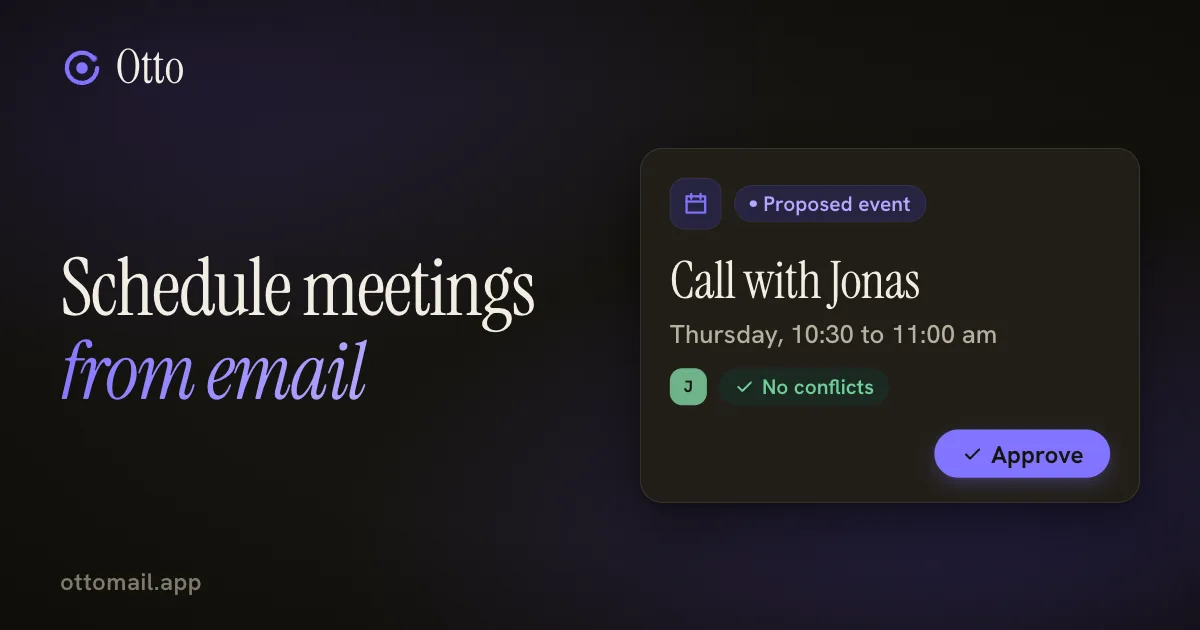
Schedule meetings from email
Four emails to place one hour is the real cost of a meeting. Otto books it from the thread and shows you the event first.
You just approve.
The short version
- Ask from the thread. Otto reads it, checks your calendar, finds a slot and proposes the event for you to confirm.
- The card shows attendees, time zone and the calendar account. Read it before you approve.
- Otto sees your calendar, not your guest's. A free slot for you doesn't prove it works for them.
- A booking link suits strangers who keep asking when you're free. It's a Plus feature with its own limits.
The back and forth is the cost
"Does Thursday work?" "Thursday's bad, how about Friday morning?" "Friday I'm travelling, could you do the following Monday?"
Four emails later you've placed one hour in the week. The meeting itself was never the expensive part. Finding a time was.
Your calendar app can do the booking. It can't read the thread that explains who needs to be there, what the call is for and which Thursday they meant. That context lives in your email, so that's where the booking should start.
Ask from the thread
Open the email and press ⌘J. Say what you want: "schedule a call from this thread", or "find a 30-minute slot with Sam next week". Otto reads the conversation, looks at your calendar, finds a free gap and pulls in the right attendees.
Then it stops at an event card. You confirm the card and the event is booked. Nothing goes on the calendar until you do.
Otto uses the calendar of the account you've selected, whether that's Google Calendar or Outlook. The calendar is free on every plan, and AI requests count against your normal AI allowance.
A walkthrough: Thursday morning with Jonas
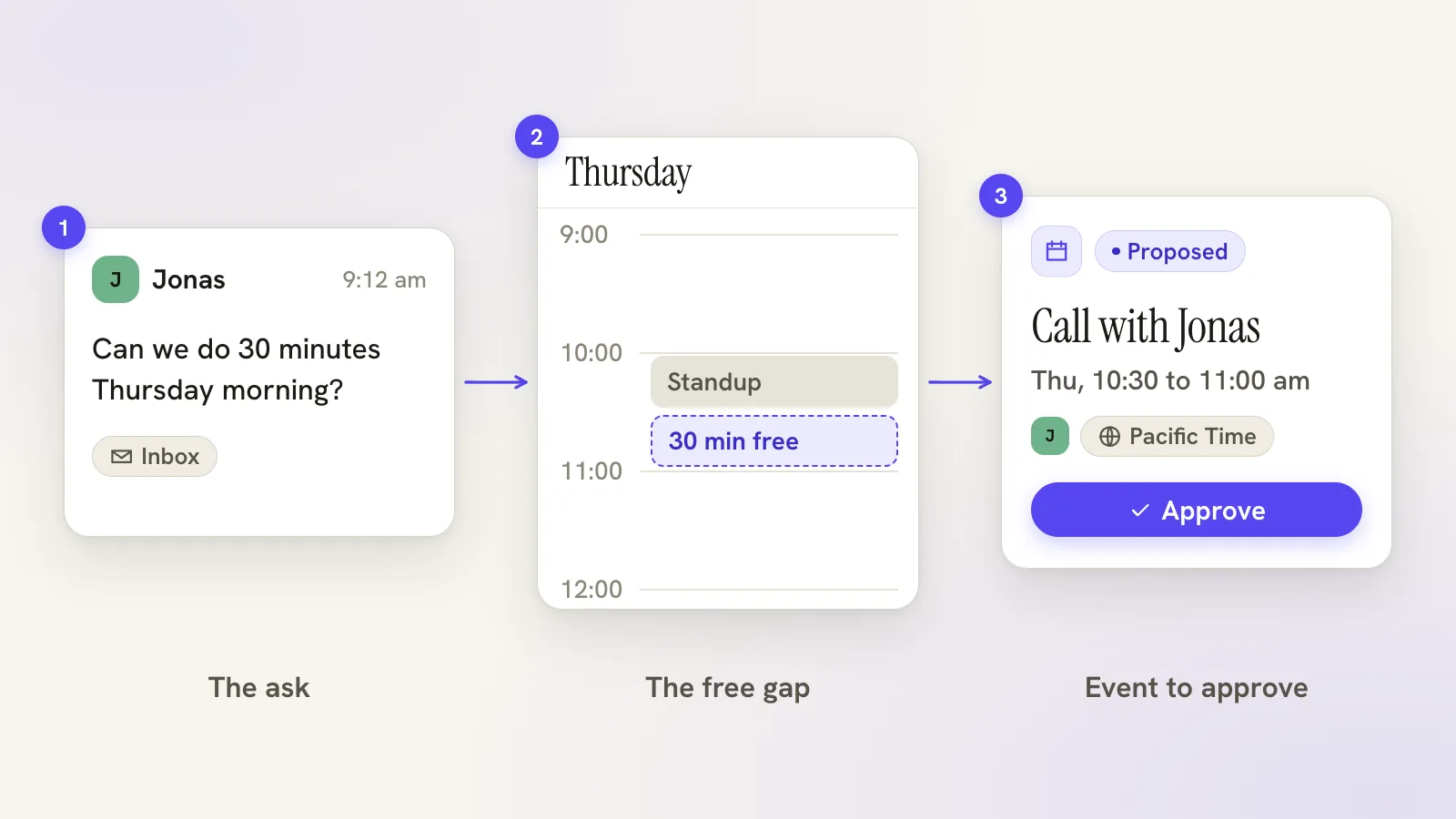
Say Jonas writes: "Can we do 30 minutes on Thursday morning to go through the Studio Luma handover?"
You press ⌘J and type: "Find 30 minutes with Jonas on Thursday morning."
Otto checks Thursday morning. You have a standup at 10:00, so it skips that and proposes 10:30. The card shows Jonas as the attendee, the time with its time zone, and the calendar it will go on.
Read those three things. The time zone causes the most apologies, especially if Jonas works somewhere else. The account matters if you run work and personal calendars. And look at the attendee list, because the thread may have had more than one person on it.
Approve it and the event is created. Whether Jonas gets an invitation follows the provider's usual rules for guests.
If the slot is wrong, say so: "make it Friday morning instead". You get a fresh card, and nothing has been booked in the meantime. If a meeting needs a different time later, ask for the move from the same thread and the proposal comes back the same way, visible and yours to approve.
Conflicts, and what Otto can't see
Otto checks your calendar. It can't see your guest's.
A free slot for you doesn't prove it works for them, and your calendar alone can't tell anyone about invitee availability. If Jonas is busy at 10:30 he'll tell you, and you move the event, which takes one more request.
Calendars also change under you. Another app, a colleague or a phone can add something between the moment the slot was found and the moment you approve it. Read the card instead of assuming the slot is still open.
So it won't know your guest's calendar, and it won't book anything you haven't confirmed. It won't make a bad meeting worth having either, but it does make one cheap to arrange.
If you want to change several events at once, select them in Agenda and delete them or choose Ask Otto to review the selection. One AI confirmation covers at most 200 events, guest notifications follow the provider's rules, and deletion can't be undone.
Preferences and booking links, for repeat requests
On Plus, where Work is enabled, you can save meeting preferences: your working days and hours, your time zone, the length of a meeting and the buffer before and after. Prepared meeting proposals use them.
Saving preferences doesn't create or move any event. It only shapes future proposals, and each proposal records which settings it used. If you change your hours, ask for a fresh proposal instead of trusting an old one. When no slot appears, the usual causes are the calendar permission, the working window, the buffers or a busy day. The meeting preferences guide lists the checks.
When the same request keeps coming back, a booking link is better. Proposing a time in a thread works when you're arranging one meeting with one person. It's the wrong tool when strangers keep asking "when are you free?"
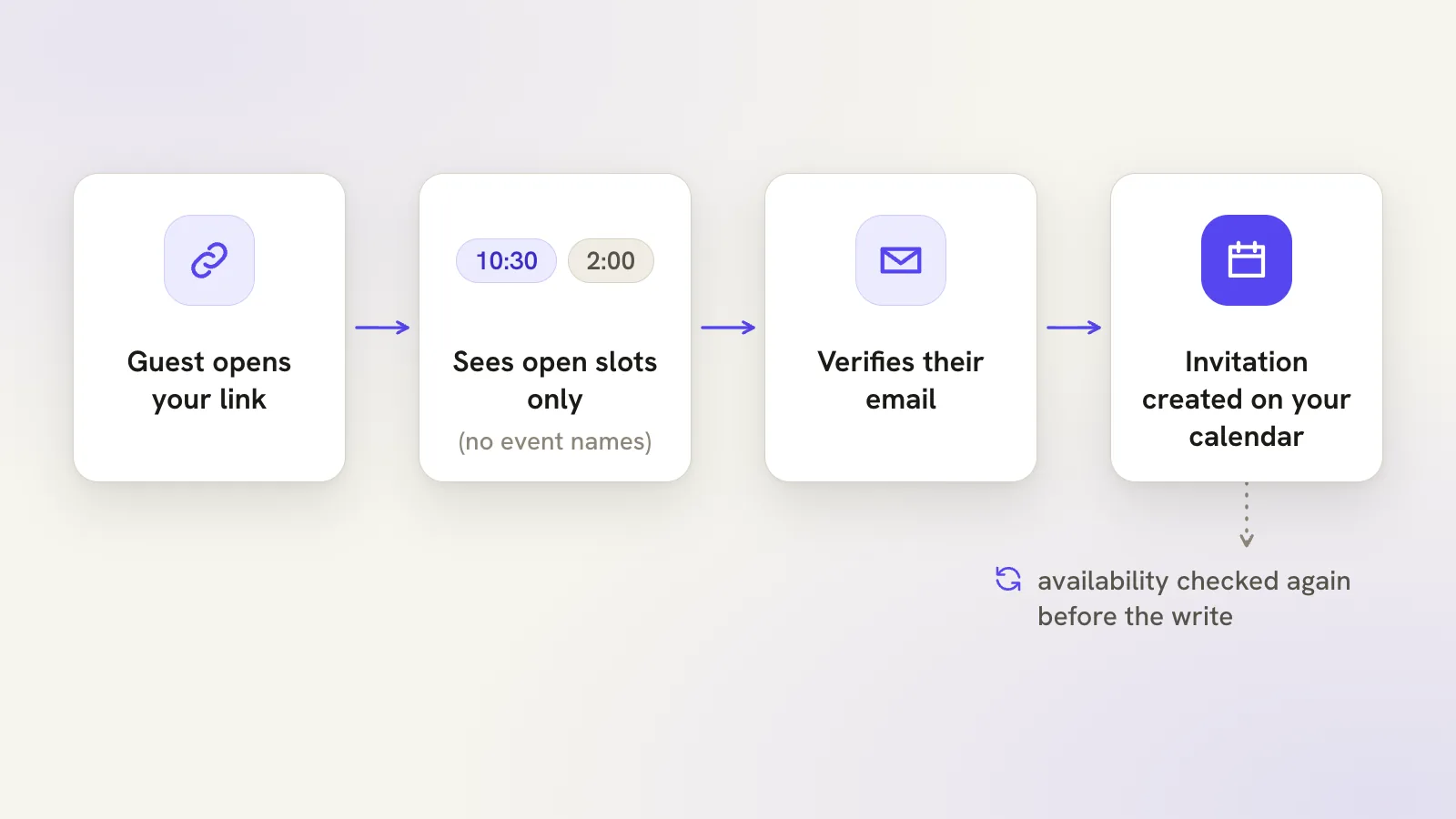
For that, a booking link lets guests pick an open slot themselves. On Plus, where booking links are enabled, you choose one writable calendar, your local hours, the meeting length, buffers, a booking horizon of up to 30 days, minimum notice and a daily cap. Review it, enable it, and Otto shows you the link once in Work settings. Copy it only for the people you mean to give it to.
Visitors see open slots, not your private event names. A guest has to verify their email before an invitation is created, and you can rotate or disable the link to stop future bookings. Bookings and uncertain outcomes appear in the owner view. If a booking looks missing, check your calendar and the booking history before asking the guest to try again, since another calendar app may have changed the slot in between.
Book the next one from the thread
Next time an email says "can we find a time", skip the reply and ask Otto from the thread. Read the card, confirm, and you're done in the time it takes to type the request.
Free to start. The calendar guide covers views, shortcuts and bulk changes, the booking links guide covers the Plus controls, or open Otto and try it on a real thread.
Questions, answered
Does Otto create the event without asking?
No. It proposes an event card with the attendees, time and account, and the event is created when you confirm it.
Which calendar does it use?
The calendar of the account you've selected: Google Calendar for a Google account, Outlook for a Microsoft account.
Can guests book time with me directly?
On Plus, where booking links are enabled. A guest has to verify their email before an invitation is created, and you can rotate or disable the link at any time.
Try your next step in Otto
Core mail, calendar and tasks are free. AI has an allowance.
Open Otto