Delegate your day.
A 10-minute morning email routine
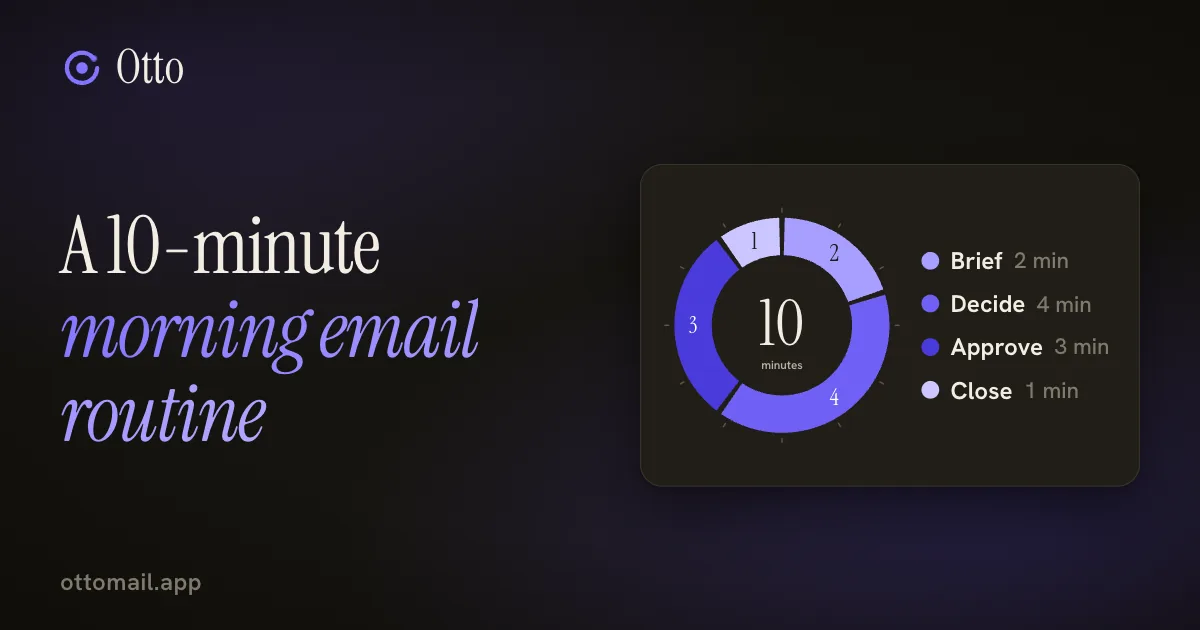
Open the inbox at 8:55 and be done by 9:05. Four moves, a brief to start and a clear place to stop.
You just approve.
The short version
- Start with a brief of what came in and what is open, from a morning brief (on Plus and Pro it can arrive in your chat app) or by asking Otto what needs you today.
- Give each thread one next step: reply, meet, task, wait or archive.
- Approve drafts from their cards, check the account, recipients and dates, and glance at the result.
- End by checking Scheduled so nothing waiting depends on your memory, then close the laptop.
Why the morning needs a shape
Most people open email in the morning the same way: scroll from the top, react to whatever is loudest, and surface forty minutes later with a vague feeling of having been busy. The loud thing was not necessarily the important thing.
A routine fixes that, and it does not need to be long. Ten minutes with a clear order and a stopping point beats an open-ended hour. Here is one that works, with the timings as a guide rather than a rule.
Minutes 0 to 6: a brief, then one next step per thread
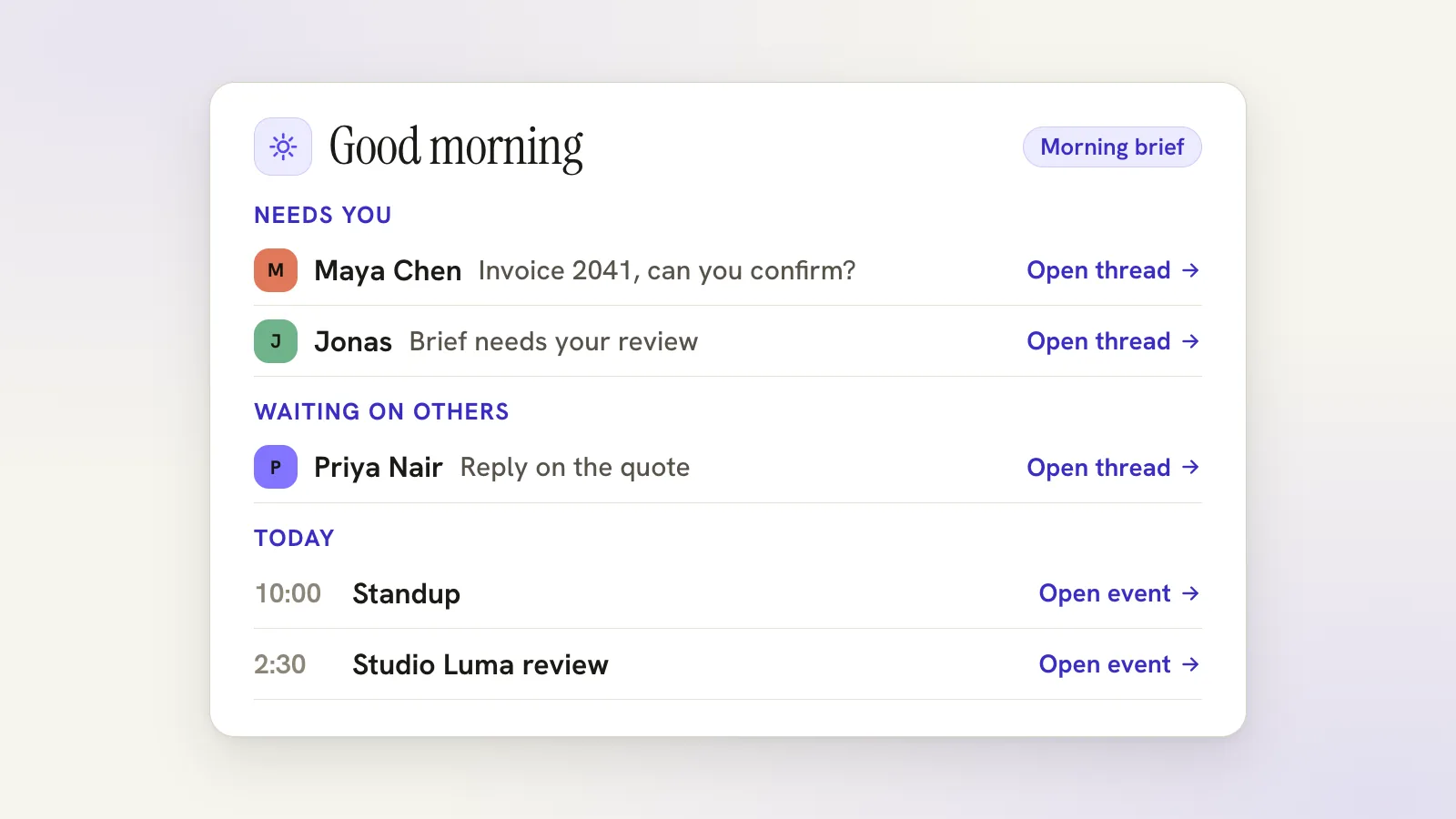
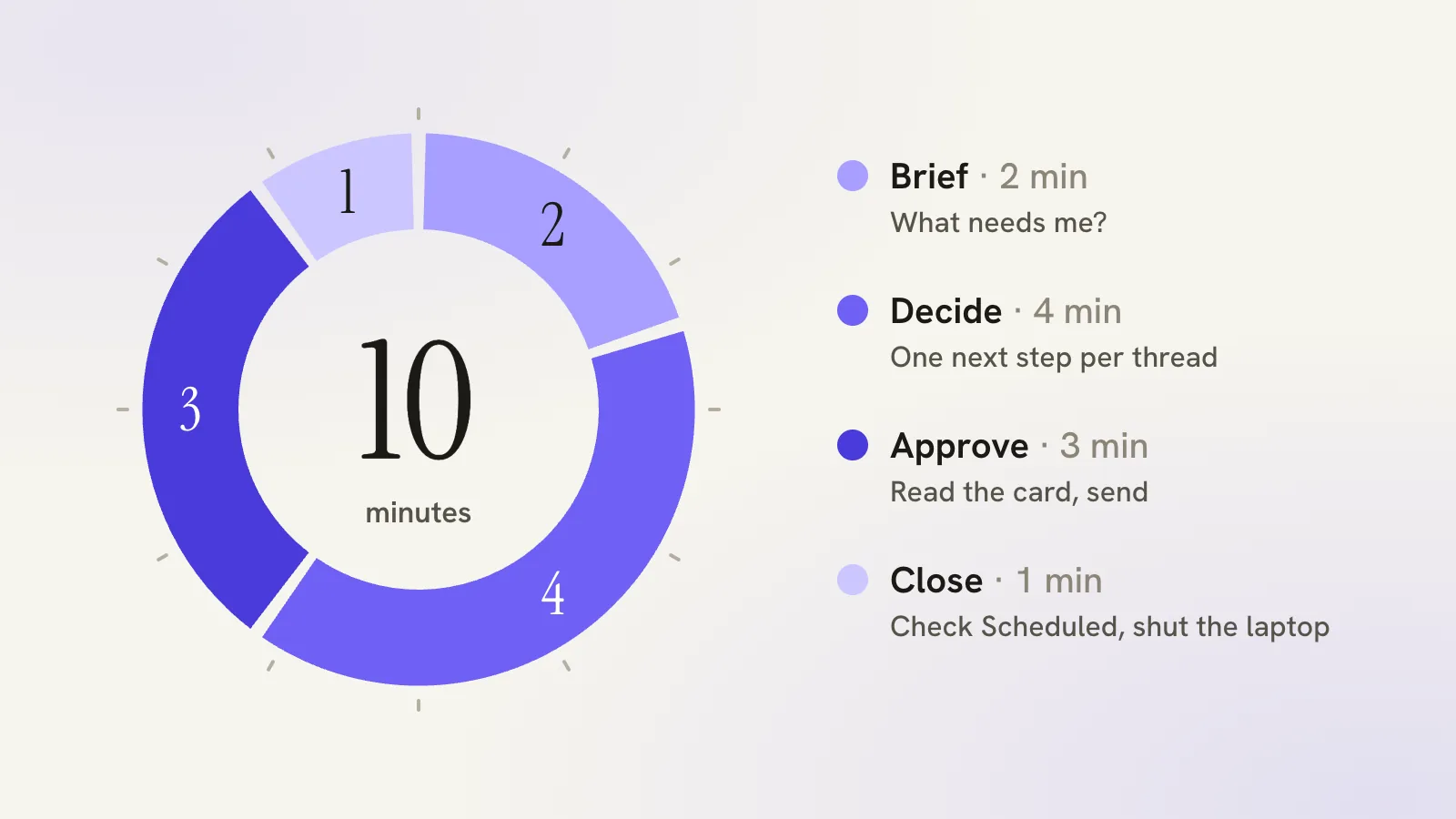
Start with the brief, for the first two minutes. Before you read anything, find out what actually needs you.
If you have a morning brief set up, it is already waiting. Every account with a mailbox gets one, Free included. It covers your calendar, tasks and the important unread mail, and with several mailboxes connected it labels each section by mailbox. Settings → Alerts lets you choose a morning-brief time and where it goes: Otto, email, push or, on Plus and Pro, a chat app such as Telegram, Slack and Discord. Read it on the phone in your chat before you reach the desk, and say "brief today" there to get it again. Other routines, such as an inbox digest or a Friday roundup, can arrive at a time you pick too. You review a sample before you turn one on, and each run shows what it found, what it left out and whether the result is partial. Brief generation uses your AI allowance.
If you do not, ask. Press ⌘J and type "what needs my attention today?" or "summarize my unread". Otto reads the mail you have not and tells you in a few lines.
Either way, you come away with a short list of threads where something changes if you act today, and a much longer list where nothing does.
Then spend the next four minutes deciding. Every thread on the short list gets exactly one of five outcomes: reply, meet, task, wait or archive.
Reply, if a short answer settles it. Meet, if it needs a conversation, in which case ask Otto to find a time from the thread. Task, if it is work outside email, in which case ask Otto to add it to your list. Wait, if it is on someone else, in which case set a follow-up that brings the thread back if nobody replies. Archive, if it needs nothing.
Most of the pain in an inbox is re-reading. You open a message, feel its weight, decide nothing, and pay again tomorrow. One imperfect decision beats three passes.
Keys keep it quick. G then I for the inbox, J and K to move, Enter to open, E to archive, S to star, R to reply. Snooze the thread you cannot handle until Monday and it returns unread on Monday.
Minutes 6 to 9: approve the drafts
Now the replies. For each thread that needs one, open it and say what you want: "tell Maya invoice 2041 goes out Friday." Otto drafts it in your voice.
Each draft comes back as a card. Read three things: the sending account, the recipients, and any date or number. If you run a work address and a personal one, the account is the field to check first. Reply and reply all read the same in the text, so look at who is on the card. A date is a fact the model took from a thread, so check it against the thread.
Approve what is right. Edit what is nearly right. Throw away the rest. Then glance at the result, because approving starts a send and does not finish it.
If a reply should land at a better time than now, schedule the send for 8am tomorrow instead of sending it at midnight, and use Undo Send for the one you regret. A scheduled message is not yet a confirmed send, so it stays in Scheduled until it goes.
Minute 10: close the laptop
Do not finish by clearing the inbox. Finish by checking that nothing depends on your memory.
Press G then Q to open Scheduled. It collects snoozed threads, follow-ups and anything you scheduled to send. Look at it for ten seconds. Then check what you are waiting on, what is on the calendar tomorrow and what you promised today. Those belong in your task list and your calendar, not in your head and not in the unread count.
Tomorrow you start from commitments instead of scrolling from the top. Then you stop. The inbox will still be there, and the important things will not be buried in it.
A walkthrough: one real morning
Say it is Tuesday. Your brief lists four items. Maya at Studio Luma wants confirmation that invoice 2041 goes out Friday. Jonas needs a decision on the handover call. Priya has replied to your question about the quote. The fourth is a receipt.
You decide fast. Maya gets a reply: you ask Otto, read the card, approve. Jonas gets a call: you ask for thirty minutes on Thursday morning, check the attendee and time zone on the event card, approve. Priya's reply needs nothing, so it is archived. The receipt is archived too.
That leaves a promise you made to Maya, a revised quote. You ask Otto to add it as a task, and set a follow-up on the thread for Friday. Total elapsed: about nine minutes. You open Scheduled, see the follow-up and the task, and close the lid.
What it will not do, and how to start
It will not make a heavy week light. If the inbox is overwhelming, the first two weeks will be messy, and that is fine. Run the routine anyway and let the list shrink.
It also does not replace judgement. The brief is a summary of the mail you allowed it to read and it can leave things out, so for anything critical, open the thread. Drafts are drafts. Otto does not send an ordinary reply, delete or bulk change without your approval, and opt-in automatic replies exist only within the limits you set.
Set a ten-minute timer and follow the four moves in order, brief, decide, approve, close. Adjust the lengths after three mornings. The order matters more than the minutes.
Free to start, with the morning brief included. The assistant guide covers the brief and the cards, routines cover where it is delivered, snooze and follow-ups covers what comes back, or open Otto and try tomorrow morning today. If you run a company from your inbox, inbox overload for founders goes further.
Questions, answered
Do I need Plus for a morning brief?
No. Every account with a connected mailbox has a morning brief, Free included, and you can ask Otto what needs your attention any time. Free also has 3 routines of its own, daily. Plus adds hourly runs and delivery to a chat app, and Pro runs every 15 minutes. Brief generation uses your AI allowance.
Will Otto reply to my morning mail for me?
No. Otto drafts replies and shows each one on a card for your approval. Opt-in automatic replies are separate and have their own limits.
What if I miss a morning?
Nothing is lost. Snoozed threads and follow-ups come back when you set them to, and Scheduled shows everything waiting. Start from the brief again the next day.
Try your next step in Otto
Core mail, calendar and tasks are free. AI has an allowance.
Open Otto