Delegate your day.
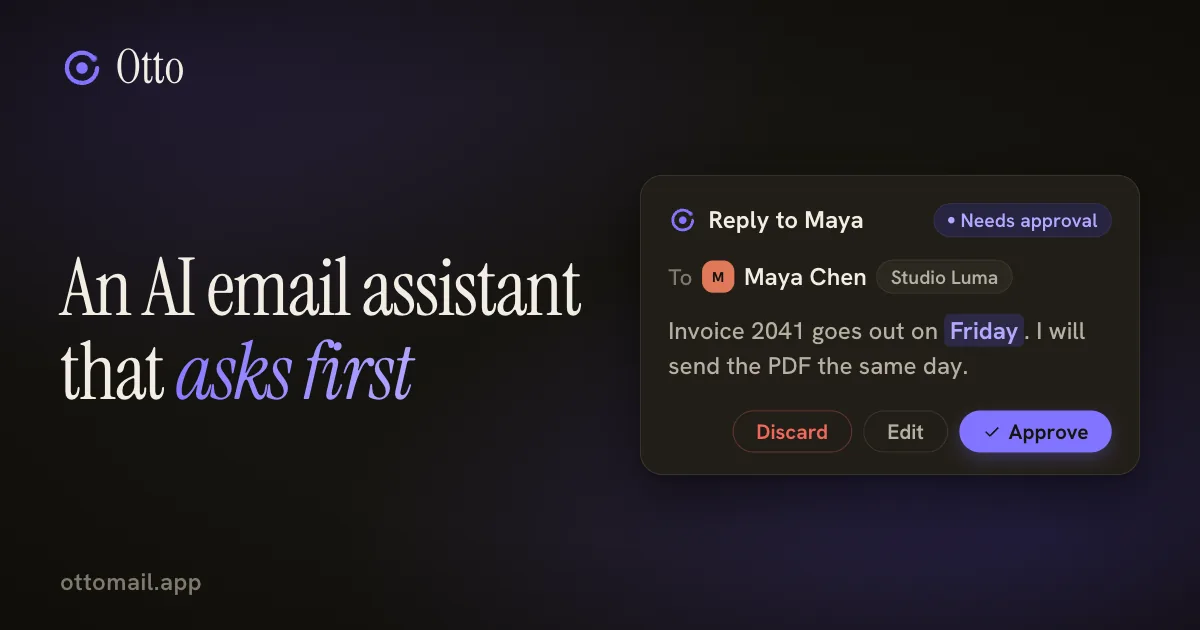
An AI email assistant that asks first
Any model can write a polite reply. The question that matters is who decides when it leaves your mailbox.
You just approve.
The short version
- Autopilot fails on the one reply in a hundred, not the average one. A sent email cannot be taken back.
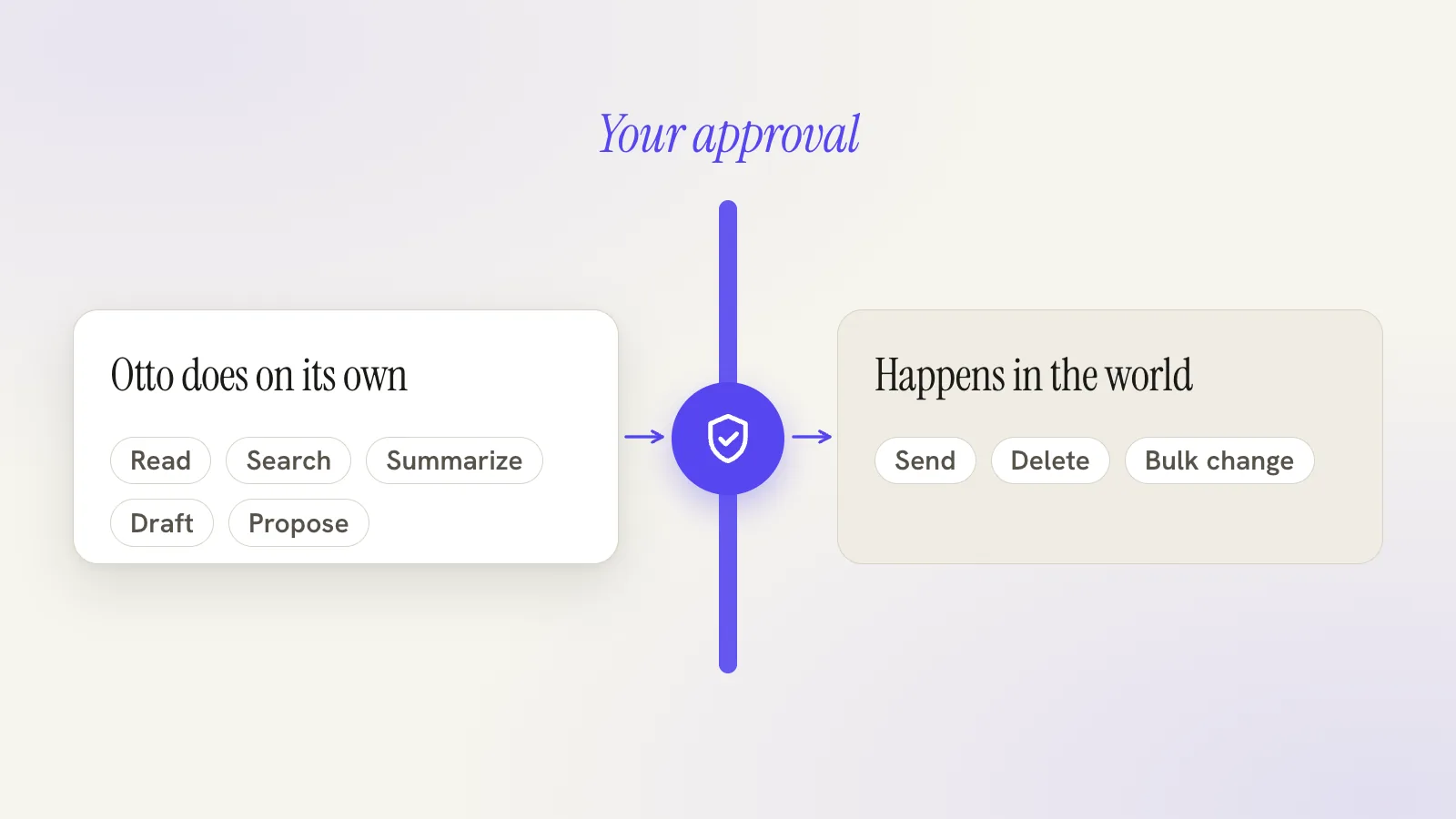
- Otto reads, searches and drafts on its own. Sends, deletes and bulk changes stop at a card you approve.
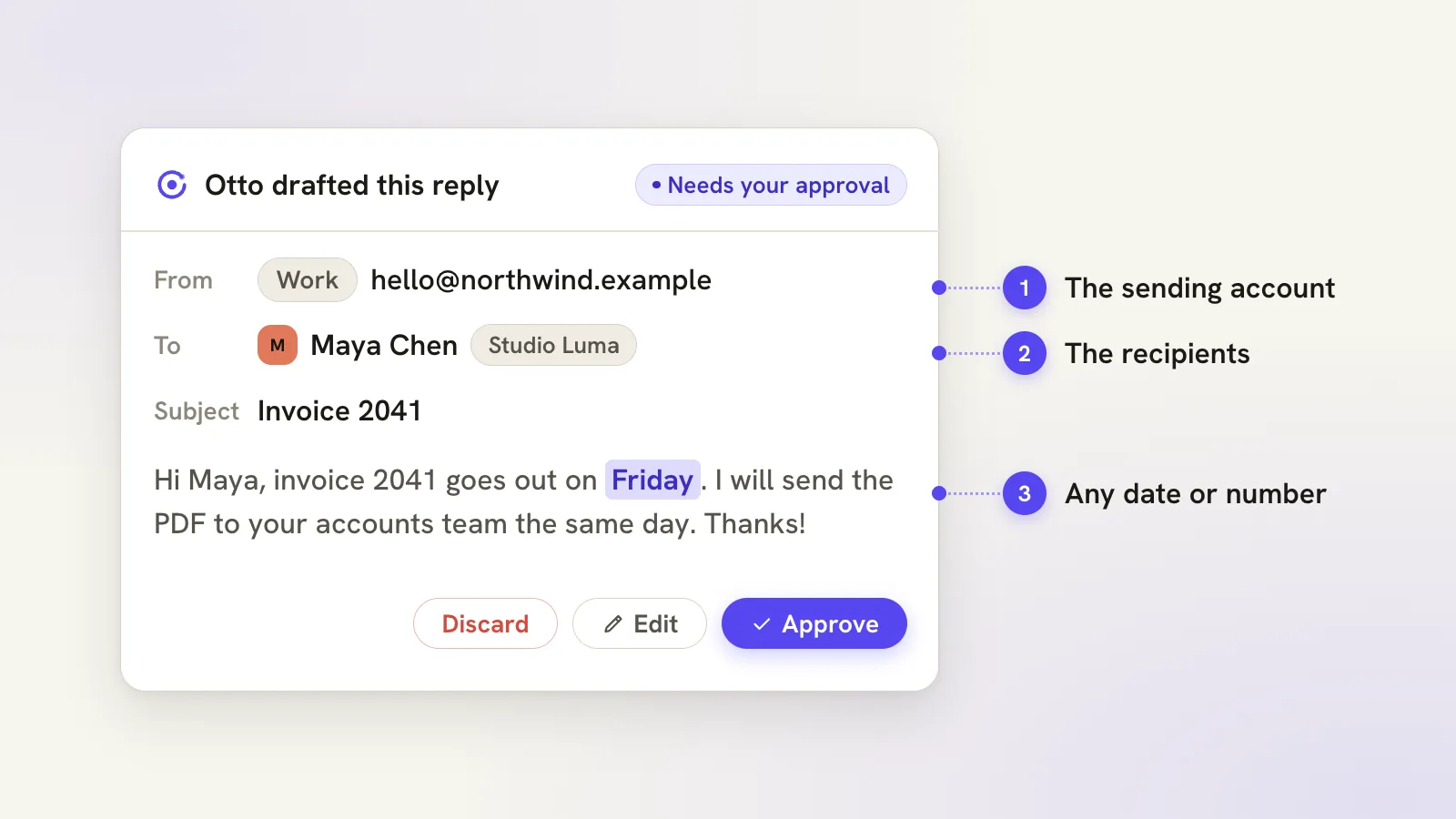
- Check three things on the card: the sending account, the recipients and any date or number.
- Automatic replies exist, but only as an opt-in policy with limits you choose and can pause.
Autopilot sounds great until the first wrong send
The pitch for fully automatic email is easy to like. Mail comes in, an AI answers it, you go and do something else. Nobody enjoys their inbox, so nobody argues with the idea.
The trouble is not the average reply. Models write a perfectly good average reply now. The trouble is the one in a hundred that restates a price you never agreed, goes to the whole distribution list, or leaves from the wrong address. Once the other person has read a sent email, it cannot be unsent in any way that matters.
So the useful question about an AI email assistant is not how well it writes. It is who decides when something leaves your mailbox. In Otto, by default, you do, every time.
Speed is not the real prize of automation anyway. The prize is not having to do the boring part. Asking first keeps that prize, because drafting, finding and preparing are the boring parts, and they are exactly what Otto does without waiting for you.
What asking first looks like
Ask Otto for a reply, a delete or a bulk change, and it prepares the work and stops at a review card. The card shows the sending account, the recipients and the wording. For a bulk job it also shows the scope: which search, which mailbox, which action. You approve it, edit it or throw it away.
Everything before that point moves freely. Otto reads threads, searches, summarizes, drafts and proposes without asking, because none of that changes anything outside your own screen. The checkpoint sits at the moment something becomes real: a send, a delete, a bulk change.
That is a narrow gate rather than a hundred small prompts. The fewer places you are asked, the more attention each one gets.
A walkthrough: invoice 2041
Say Maya at Studio Luma writes: "Can you confirm invoice 2041 goes out Friday? Priya needs it for month end."
You open the thread, press ⌘J and type: "Reply to Maya, confirm invoice 2041 goes out Friday, and thank her."
Otto drafts the reply in your voice and shows the card. Now read three things, and only these three.
The account. Is it going from your work address or your personal one? The text will not tell you, which is why it is the field that bites hardest.
The recipients. Priya was on the thread. If the draft is addressed to both of them and you meant to answer Maya alone, change it now. Reply and reply all read exactly the same in the body.
The facts. Invoice 2041 and Friday are the two things Maya will hold you to. If the draft says anything else, a different date or an amount you did not mention, it came from somewhere in the thread, and it is worth going to look at where.
Suppose Priya is indeed on the card. You remove her, approve, and the reply goes. Then you glance at Sent to confirm it. The whole check takes about as long as rereading the subject line.
Suppose instead the draft promised the invoice for Thursday. You say so in plain words, "make it Friday", and the draft changes before anything leaves. The card is a place to correct a draft, not only to accept or reject it.
Where automatic replies fit
Some replies you never want to see again. "Got it, thanks, I will look today" to the same supplier, every time. For those, Otto offers opt-in automatic replies, and it is worth being exact about what opt-in means.
They are off until you accept a policy for one mailbox. You choose the allowed senders or domains, the topics, the active hours, a daily limit and a cancellation delay of at least five minutes. Before you grant any permission to send, you can keep the policy draft-only and read samples of what it would have written.
A few more limits are built in. Replies go to the original sender, never to a group, and only for new incoming mail. Activity shows every candidate as queued, preparing, ready for review, sending, sent or uncertain, and you can cancel one before its window closes. Pausing the policy stops new candidates from starting.
That is the difference from autopilot. The limits are chosen by you in advance, visible in one place and reversible, instead of discovered after something went wrong. Automatic replies are a Plus feature. The automatic replies guide has the full setup.
The honest limits of asking first
Asking first costs attention. If you approve every card without reading it, you have built autopilot with extra clicks, and the safety was never there.
Two habits help. Shrink the request when you are unsure: "draft a reply" before "reply", "show me the messages" before "clean these up". And save your attention for the cards that touch a customer or a lot of mail, because those are the ones where a mistake is expensive.
Approval is also not completion. It starts the work. A queued send still has to go out, a large bulk job runs in the background and can come back partial, and pausing an automatic-reply policy does not recall a send the provider already confirmed. If an outcome comes back uncertain, check Sent before you retry by hand, or you will send the same email twice. AI that waits for your approval goes through those checks in detail.
Some people will reasonably choose a more automatic tool, especially if most of their mail is routine and low stakes. The five questions in how to choose an AI email assistant will tell you whether it fits.
Try it on a reply you have been avoiding
Pick one low-stakes thread today. Ask for the reply, read the card, approve it, then look at Sent. Trust in a tool like this should be earned where a mistake costs nothing.
Free to start: one connected Gmail or Outlook account, with core mail, calendar and tasks and an AI allowance. Read the assistant guide or open Otto and try it on a real thread.
Questions, answered
Does Otto ever send email without asking me?
Ordinary assistant sends, deletes and bulk changes wait for your approval. The one exception is opt-in automatic replies, which stay off until you accept a policy with your own senders, hours and limits.
Can I see what an automatic reply would say before I turn it on?
Yes. You can keep the policy draft-only and read sample replies first. Nothing is granted permission to send until you accept the policy.
Is approval enough to know an action finished?
No. Approving starts the work. A queued send or a large bulk job can still be running or come back partial, so check the result.
Try your next step in Otto
Core mail, calendar and tasks are free. AI has an allowance.
Open Otto